Deploy AWS Managed Directory Service (AWS Managed Microsoft AD)
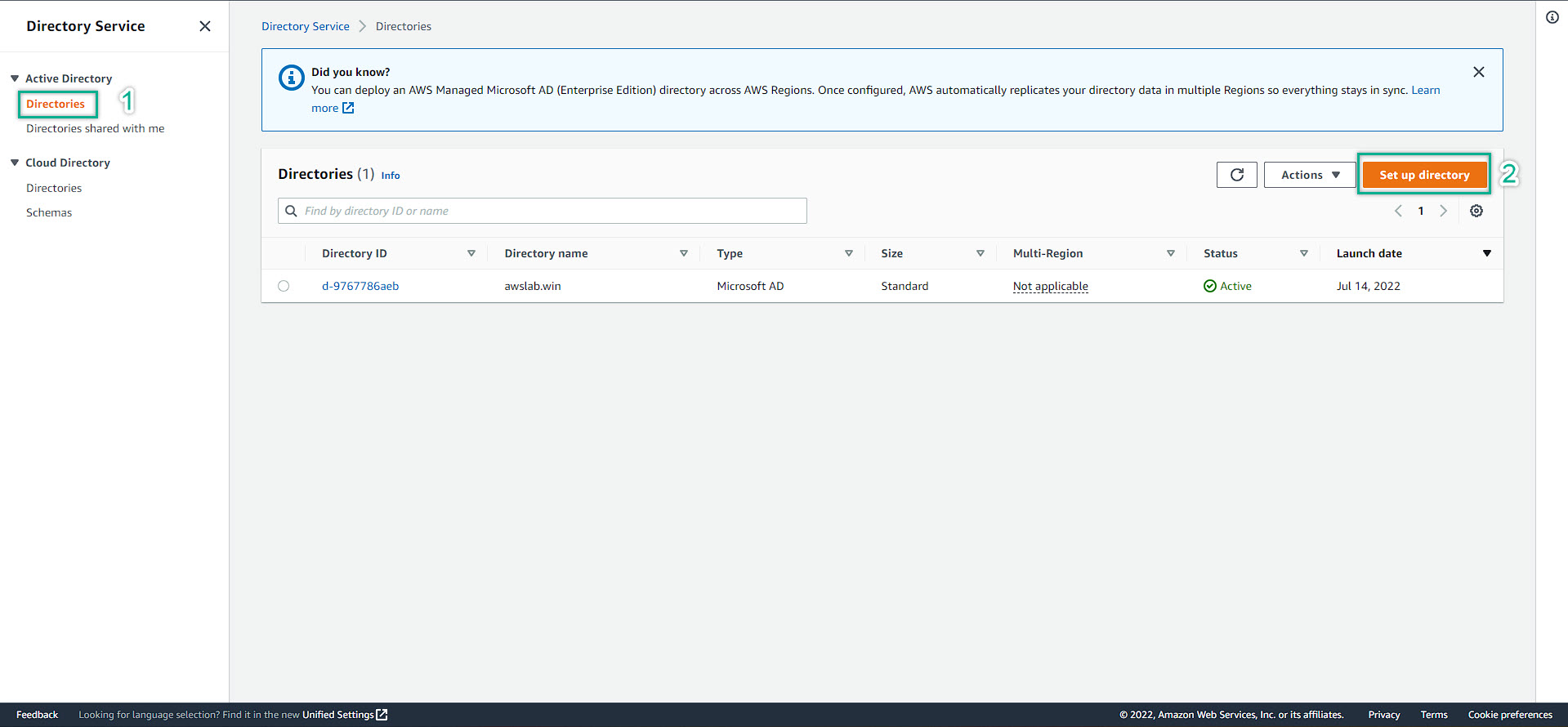
AWS Management Console => Search for Directory Service
At AWS Directory Service management console => Set up directory
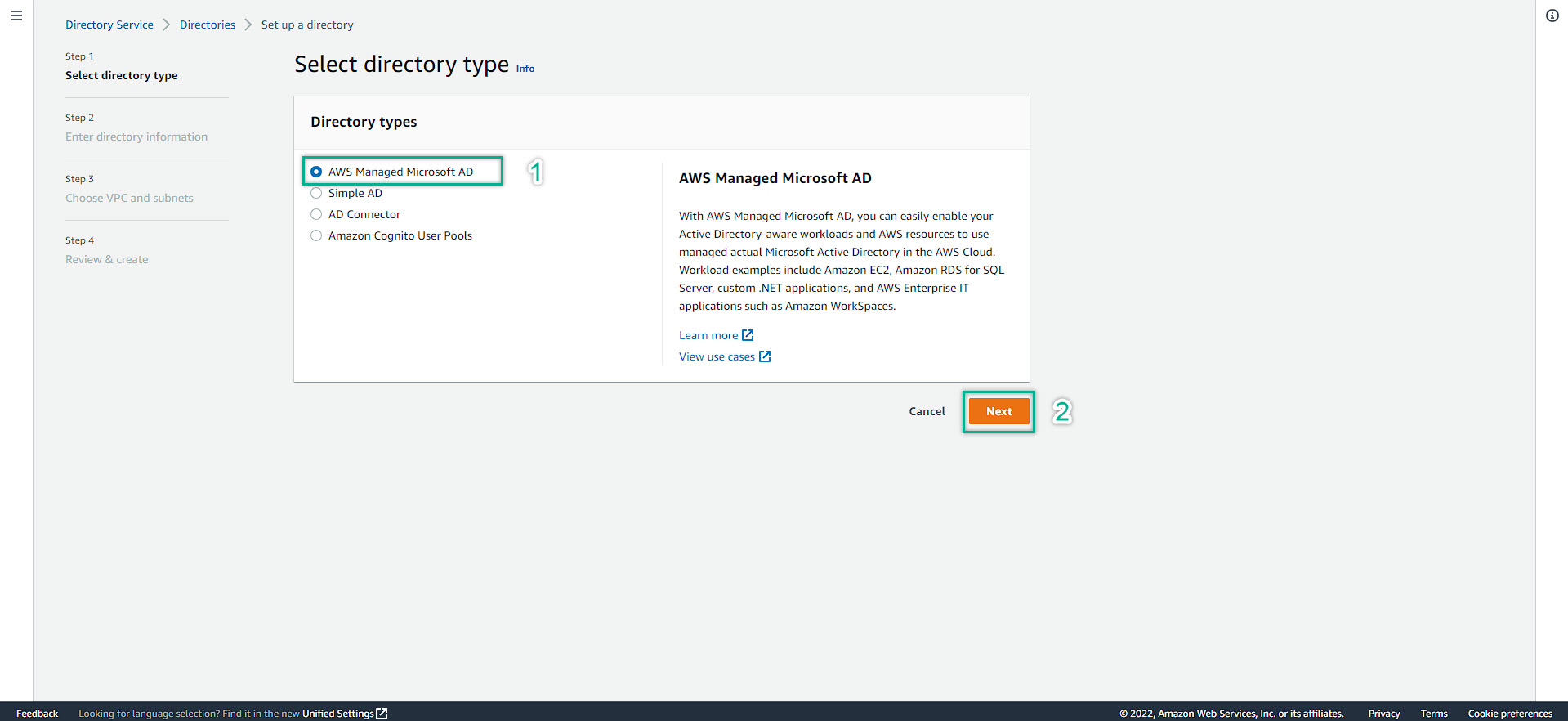
Choose AWS Managed Microsoft AD => Next
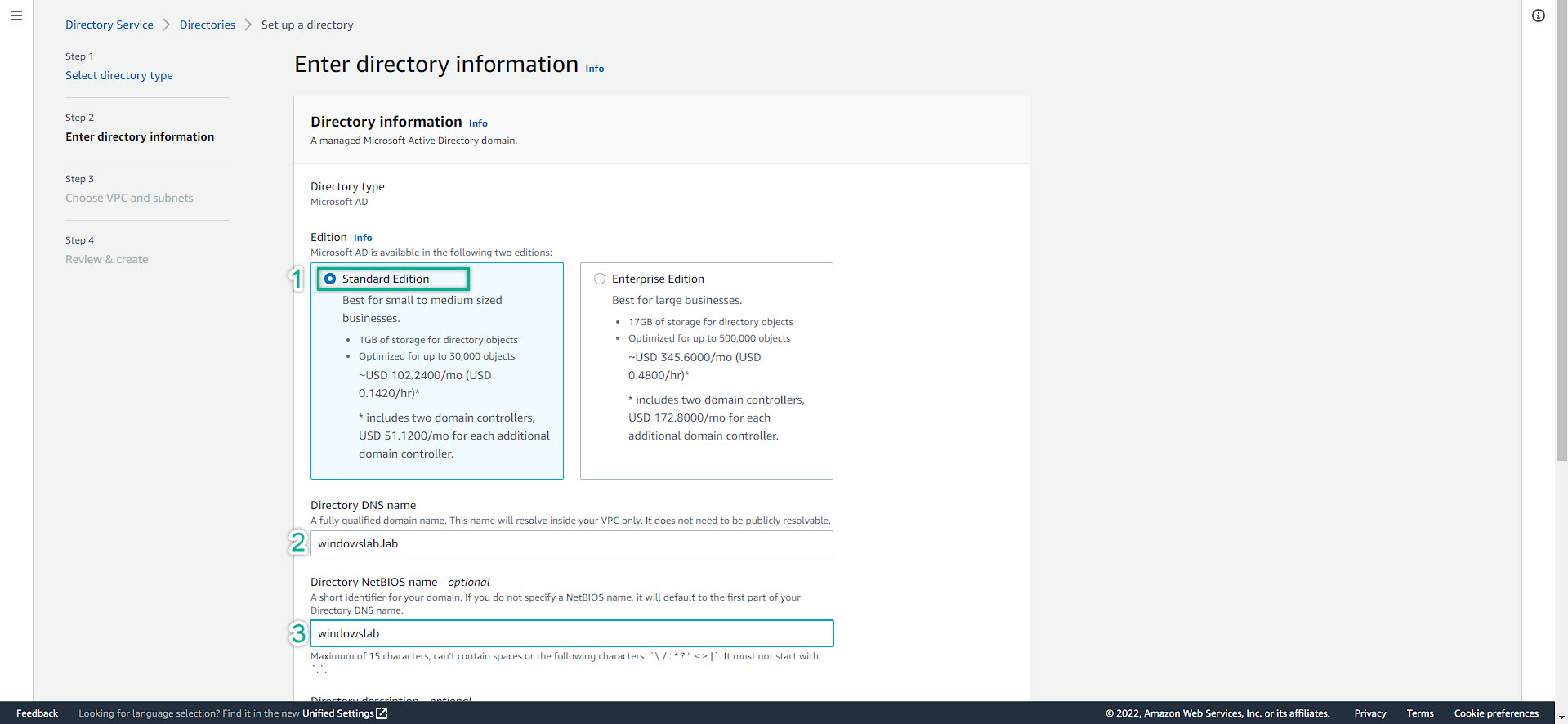
Depends on your business needs. Manually choose the right Directory Service. For this lab purpose, choose Standard Edition
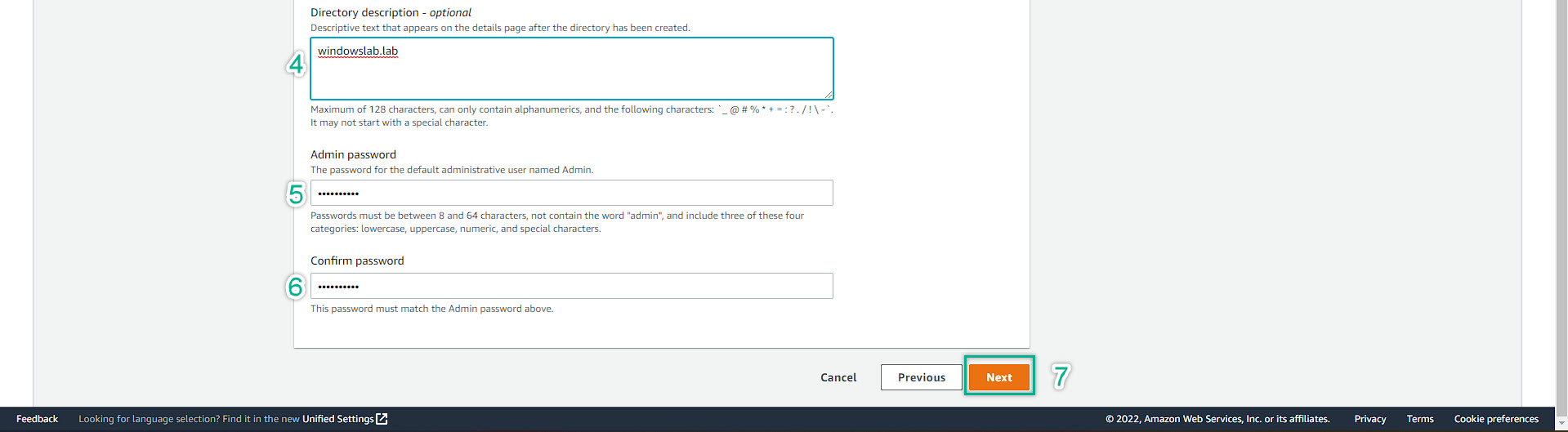
Then, fill in all of required information: Fully Qualified Domain Name (FQDN), NetBios Name, Description (optional), password
By default, the AWS Managed AD account is Admin (case sensitive)
Do not worry about the price, the lab last long 2~4hrs. Do not cost too much. However, remember to delete the resources included this Directory Service after completed the lab
Then click Next
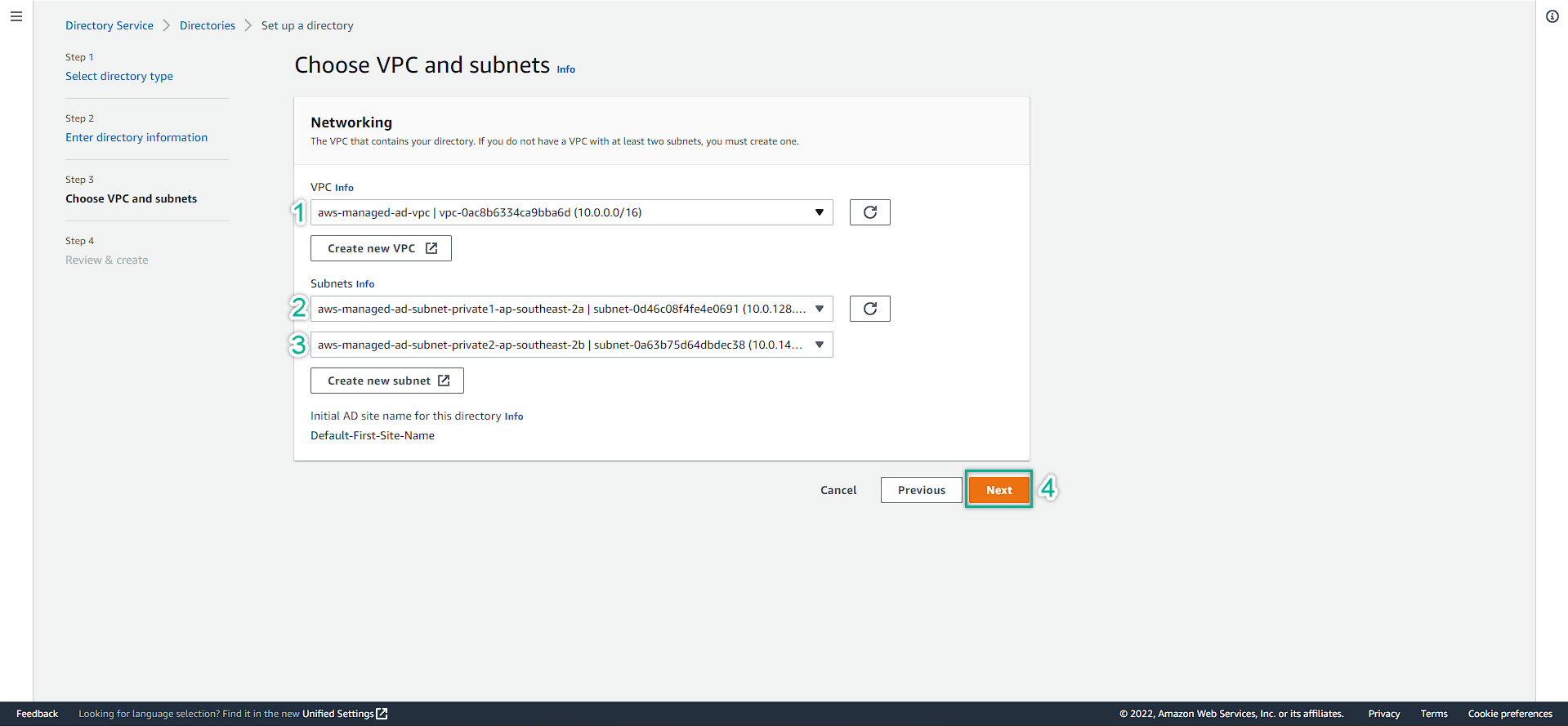
Choose the right VPC and Subnet. Remember, at least 2 subnet in 2 different availability zone (az).
Must be private subnet for security best practices. Then click NEXT
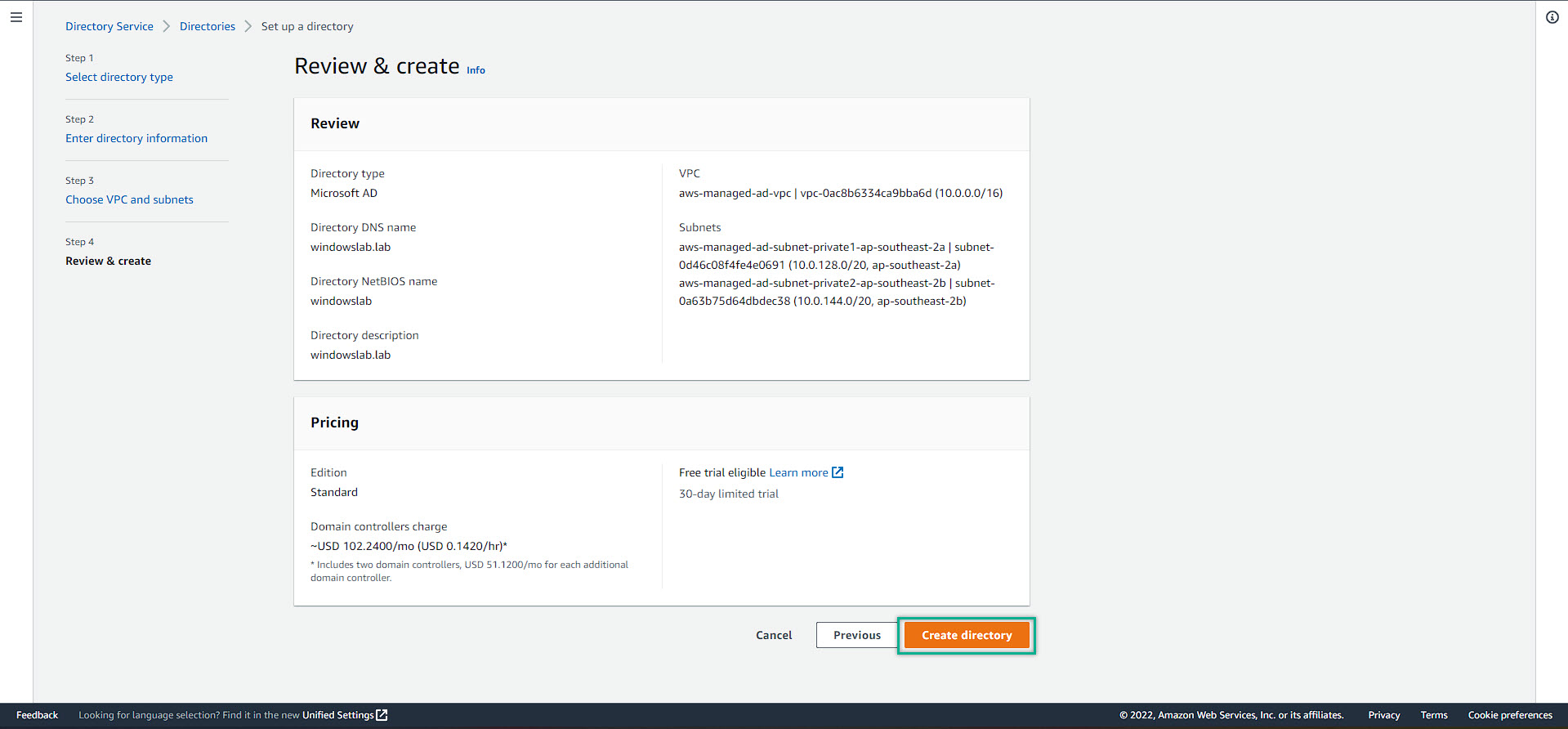
Double check all of the required information => Create Directory
The directory creation might take a bit long, roundly 40 minutes.
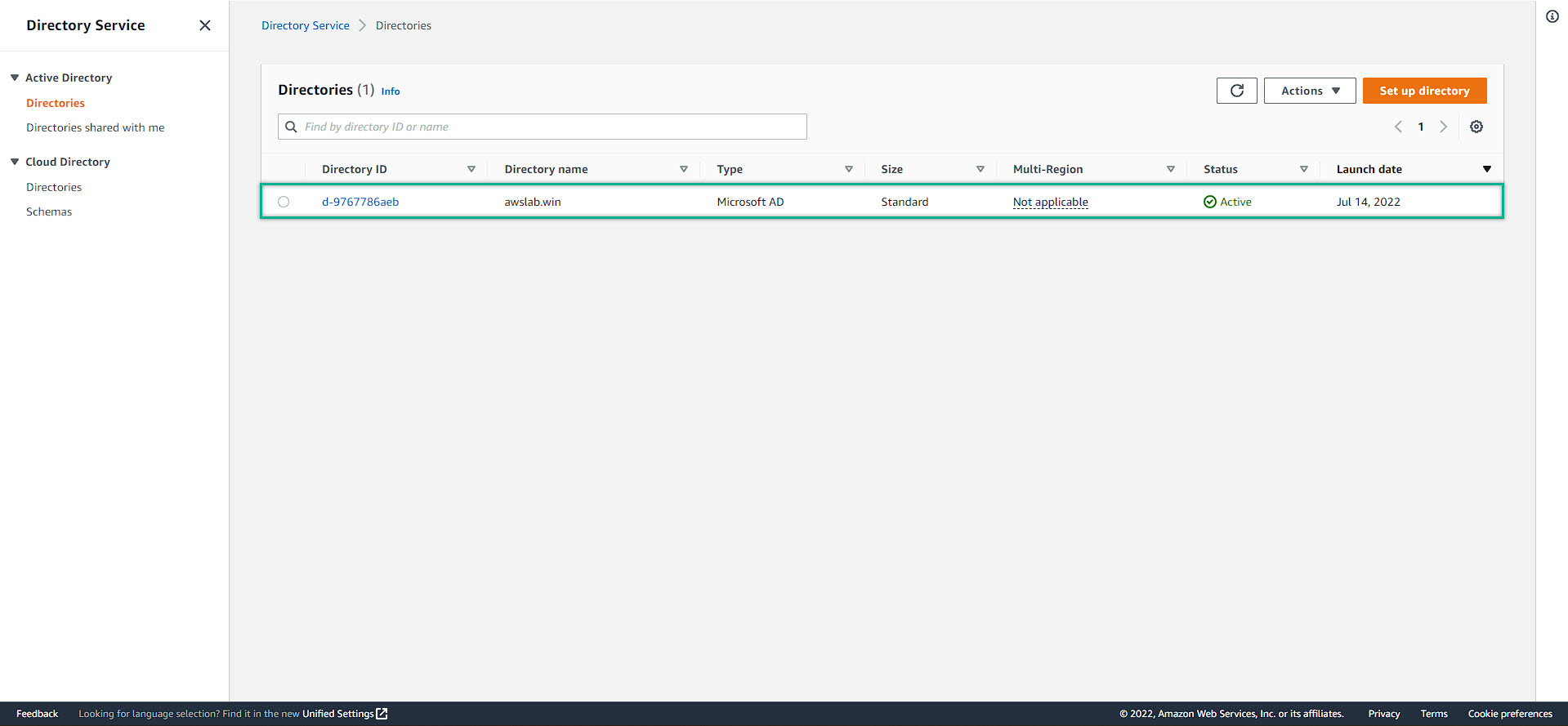
After finished, we will see our directory has been created