Deploy EC2
Deploy EC2
- Let assumed that we are all know how to deploy EC2.
- However, the basic guide has already mentioned about the EC2 Management Console
- The NEW EC2 Management Console is still under development. Hence, it will not let us join domain and some other setup
- Switch back to the OLD EC2 Management Console => Top right: Opt-out to the old experience

- This is the OLD UI which we familiar with
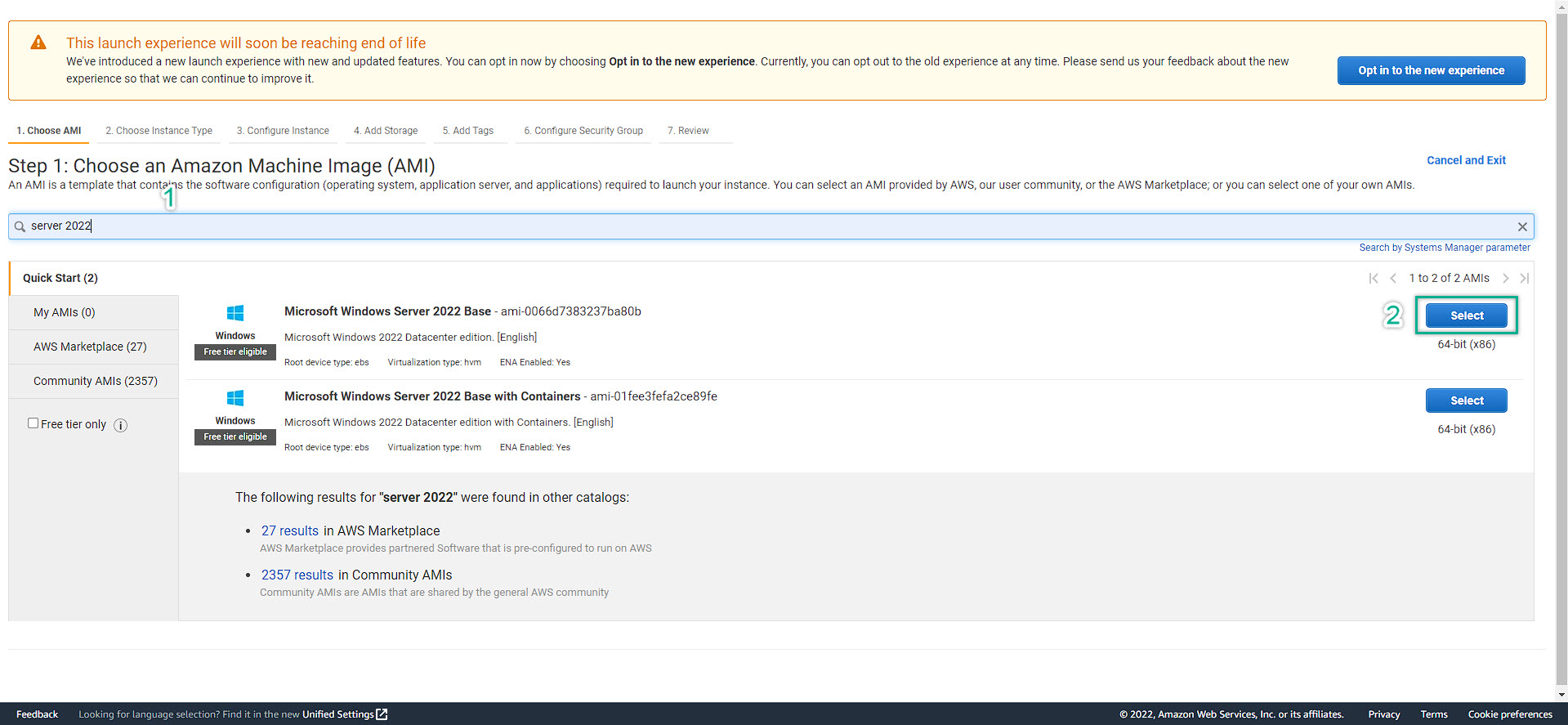
- Follow up the step
- Choose / fill in the right option / information and click NEXT
- Remember to attach the IAM Role which have some of the required permissions to be able to work with Directory Service
- After click Next Add Storage, those further steps are exactly the same with the basic guide about how to setup an EC2.
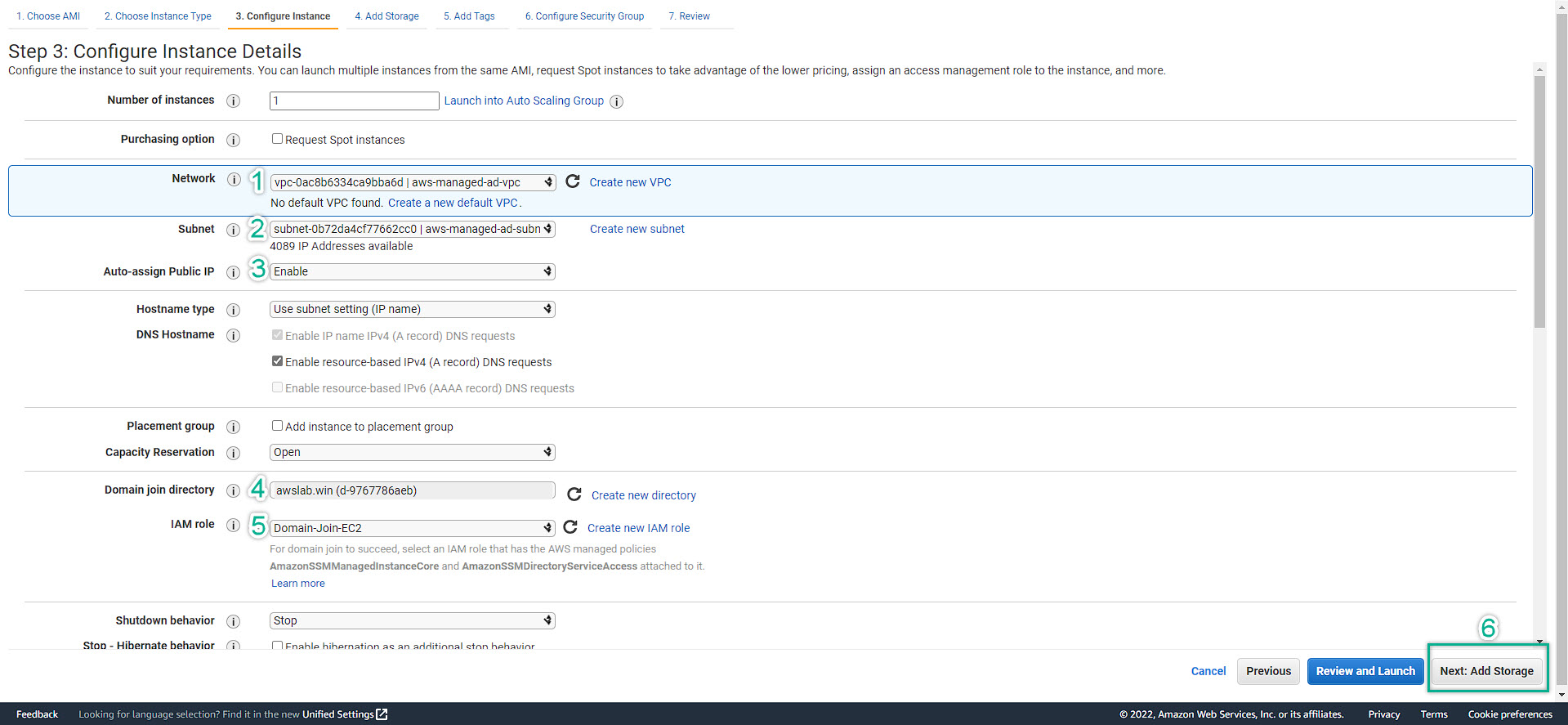 4. The EC2 should be:
- 1 EC2: t2.micro | Bastion host | Public subnet | Auto-assign Public IP: Enable
- 1 EC2: t2.2xlarge | AD-Manager | Private subnet | Auto-assign Public IP: Disable
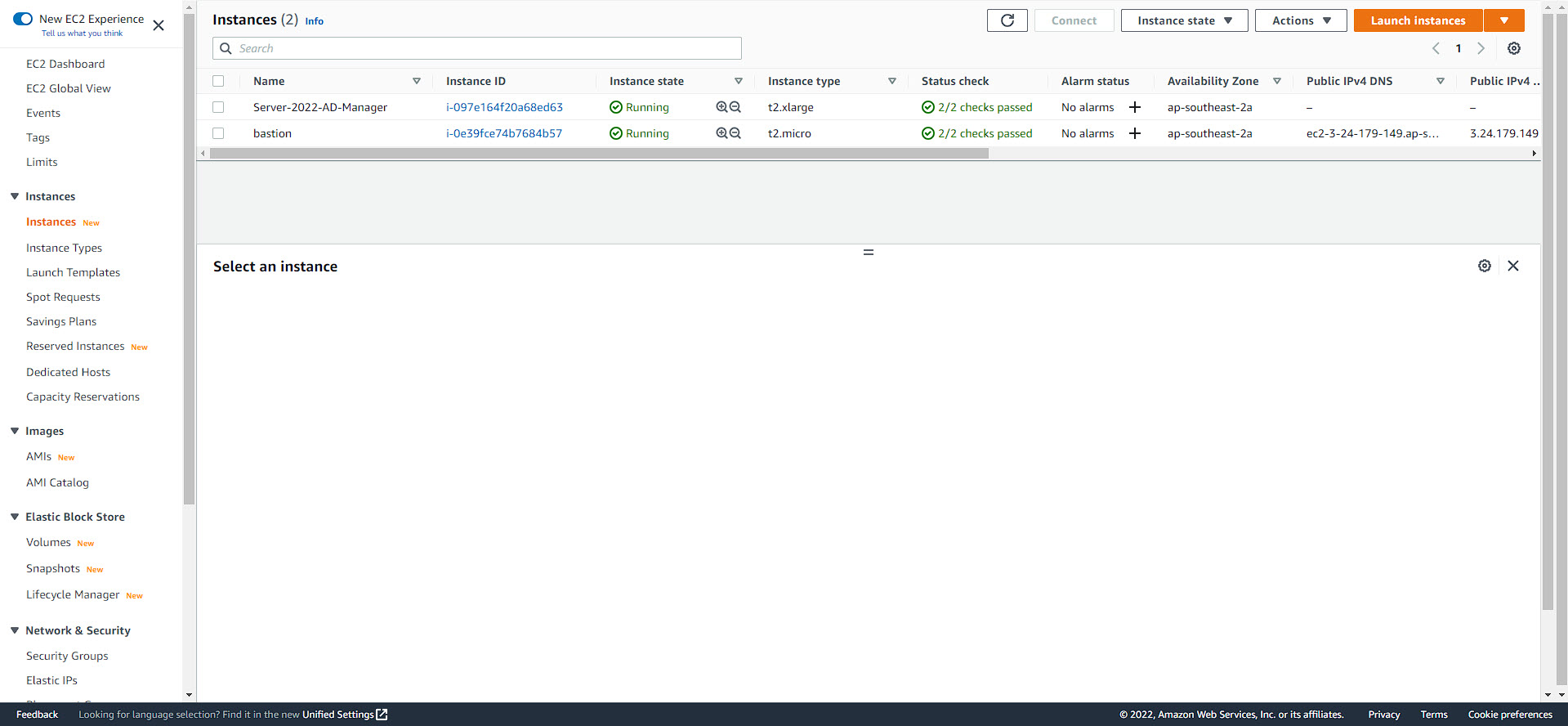
5. Finally, we will have some running EC2 look like this:
6. We are done for setting up EC2