Edit Computer Name (Optional)
Edit Computer Name (optional)
- Remote Log-in to your EC2 with domain log-in => Server Management => Double check that the server has already joined into domain. In fact, if you cannot log-in EC2 with domain admin. This is meanning for something wrong when setup EC2 Steps. Probably about IAM Role.
- Due to lack of permission / wrongly chose IAM to attach into EC2 => EC2 could not join domain => As a result, cannot log-in as domain administrator
- After succeeded logged-in EC2 with domain logging => Server Management => Change Computer name
- This step is only optional to make thing easy to work with. When we look at the machine, we know which server is doing which tasks.
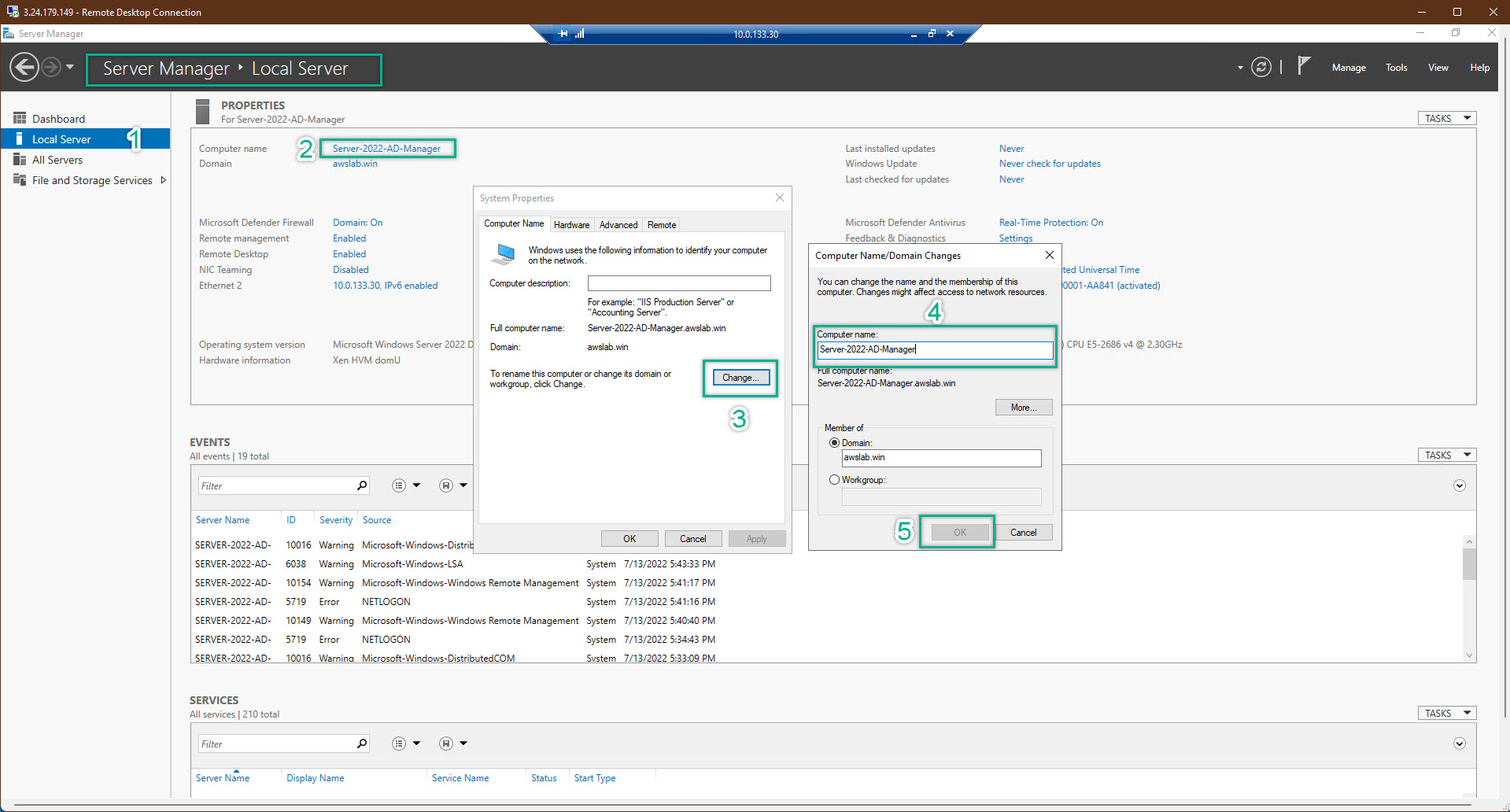
- EC2 will be required to be restarted => just restart and then log-in again
- Do the same thing on all of EC2